
Welcome back to the final installment of our Security Practices for Express APIs series! We've explored crucial aspects like HTTPS, Authentication and Authorization, Rate Limiting, Input Validation, and Logging to secure your APIs. In this post, we'll focus on two essential yet often overlooked practices: Security Headers and CORS (Cross-Origin Resource Sharing). These measures help safeguard your API against web vulnerabilities like Cross-Site Scripting (XSS), Clickjacking, and CSRF (Cross-Site Request Forgery).
Why Security Headers Matter
Security headers are additional metadata that you can include in your HTTP responses to instruct browsers on how to behave when handling your API's content. These headers are a key part of web security, as they can prevent malicious behaviors and reduce attack vectors.
By configuring these headers correctly, you can:
- Prevent content injection attacks (e.g., XSS).
- Block framing of your site to prevent clickjacking.
- Enforce secure communication between your API and clients.
Common Security Headers for Express APIs
Let's look at some of the most critical security headers and how you can implement them in an Express app.
1. Content-Security-Policy (CSP)
The Content-Security-Policy header helps prevent XSS attacks by restricting the sources from which content (such as scripts, images, styles, etc.) can be loaded.
Example:
import helmet from 'helmet';
import express from 'express';

const app = express();

// Use Helmet to set Content-Security-Policy
app.use(
  helmet.contentSecurityPolicy({
    directives: {
      defaultSrc: ["'self'"],
      scriptSrc: ["'self'", 'trusted-scripts.com'],
      objectSrc: ["'none'"],
    },
  })
);
Here, the CSP header is configured to:
- Only allow scripts from the same origin ('self').
- Block embedding external resources such as Flash files (objectSrc: 'none').
2. Strict-Transport-Security (HSTS)
The Strict-Transport-Security header ensures that your API is accessed over HTTPS and helps protect against man-in-the-middle attacks.
Example:
app.use(
  helmet.hsts({
    maxAge: 31536000, // One year in seconds
    includeSubDomains: true,
  })
);
This forces browsers to communicate only over HTTPS for one year, protecting your API from protocol downgrade attacks.
3. X-Frame-Options
This header is used to prevent clickjacking by disallowing your API to be embedded in an iframe.
Example:
app.use(helmet.frameguard({ action: 'deny' }));This setting will block all framing of your API, preventing clickjacking attacks.
4. X-Content-Type-Options
The X-Content-Type-Options header prevents browsers from interpreting files as a different MIME type than declared, protecting against MIME-sniffing attacks.
Example:
app.use(helmet.noSniff());This ensures the browser does not try to "guess" the file type and sticks to the declared Content-Type.
5. Referrer-Policy
The Referrer-Policy header controls how much referrer information is sent with requests. Limiting this can help reduce data leakage.
Example:
app.use(
  helmet.referrerPolicy({
    policy: 'no-referrer',
  })
);
This configuration ensures no referrer data is sent with requests, enhancing user privacy and reducing data exposure.
6. X-XSS-Protection
This header enables the XSS filter built into modern web browsers, protecting users against Cross-Site Scripting attacks.
Example:
app.use(helmet.xssFilter());Although newer browsers rely on Content-Security-Policy (CSP) for more robust protection, enabling X-XSS-Protection adds an additional layer of defense.
CORS (Cross-Origin Resource Sharing)
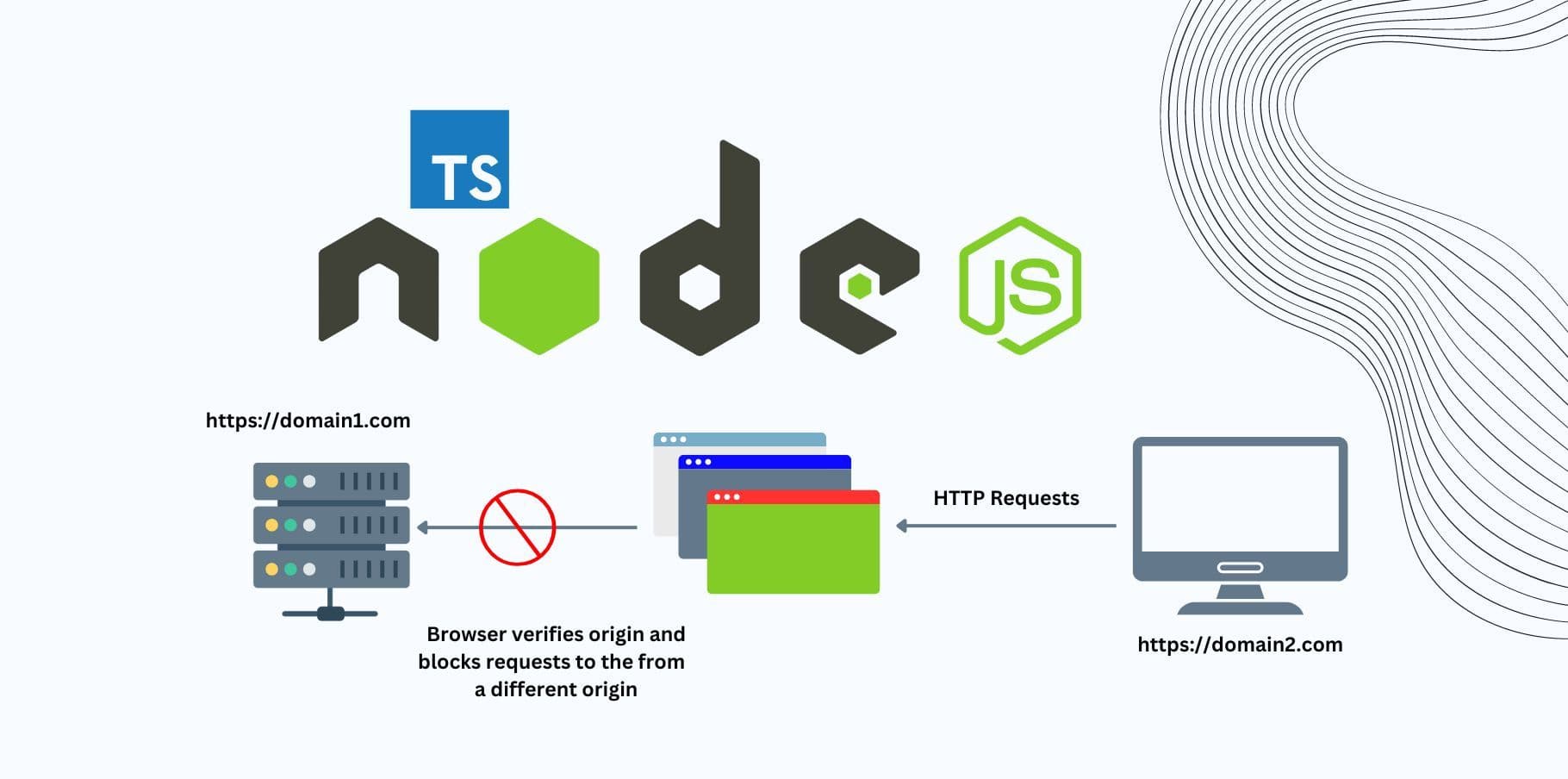
APIs are often consumed by web applications hosted on different domains. CORS defines how your server handles requests coming from different origins, specifying whether or not browsers should allow cross-origin requests.
Without properly configured CORS, your API could be exposed to Cross-Origin Resource Sharing vulnerabilities, which could allow malicious websites to make unauthorized requests.
Configuring CORS in Express
The CORS package in Express allows you to define which domains are permitted to access your API. You can configure it to allow specific domains, methods, and headers.
Example: Basic CORS Setup
import cors from 'cors';
import express from 'express';

const app = express();

// Allow requests from a specific origin
app.use(
  cors({
    origin: 'https://trusted-client.com',
    methods: ['GET', 'POST', 'PUT', 'DELETE'],
    allowedHeaders: ['Authorization', 'Content-Type'],
  })
);

// Sample route
app.get('/data', (req, res) => {
  res.json({ message: 'This data is accessible from trusted-client.com!' });
});

app.listen(3000, () => {
  console.log('Server running on port 3000');
});
Explanation:
- origin: Specifies which domains can send requests to your API. In this case, only https://trusted-client.com is allowed.
- methods: Defines which HTTP methods are allowed (GET, POST, PUT, DELETE).
- allowedHeaders: Specifies which headers can be sent in cross-origin requests.
Example: Enabling CORS for All Origins (Not Recommended)
app.use(cors());While this enables CORS for all domains, it’s generally not advisable unless your API is public and does not handle sensitive data.
Example: Enabling CORS with Preflight Options
For more advanced setups, such as handling preflight requests (OPTIONS method), you can configure CORS to respond with specific headers.
app.use(
  cors({
    origin: '*',
    methods: ['GET', 'POST'],
    preflightContinue: true,
    optionsSuccessStatus: 204,
  })
);
Best Practices for CORS and Security Headers
Use Helmet: The helmet package is an excellent way to automatically apply most of the essential security headers in Express apps with minimal configuration.
Enable CORS Selectively: Only allow cross-origin requests from trusted domains. Be careful when enabling CORS for all origins (*).
Strict Content-Security-Policy (CSP): Be cautious about the sources you allow for scripts, styles, and other content. Avoid using unsafe-inline or unsafe-eval unless absolutely necessary.
Regularly Review Headers: Ensure you are using the most up-to-date security headers. As security best practices evolve, you may need to modify your headers accordingly.
Conclusion
In this post, we’ve covered the importance of using Security Headers and properly configuring CORS to further harden your Express APIs. These practices provide an additional layer of protection against common web vulnerabilities, ensuring that your API behaves as securely as possible across different browsers and clients.
By adopting the headers we discussed, such as CSP, HSTS, and X-Frame-Options, and carefully managing cross-origin requests with CORS, you significantly reduce the attack surface of your API.
What’s Next?
That wraps up our series on Security Practices for Express APIs! We've covered a wide range of topics to help you protect your APIs from attacks and vulnerabilities. To recap, we’ve discussed:
- HTTPS Encryption
- Authentication and Authorization
- Rate Limiting and Throttling
- Input Validation and Sanitization
- Error Handling and Logging
- Security Headers and CORS
With these practices in place, your Express APIs will be more secure, reliable, and resilient to potential attacks. Stay tuned for more technical content on Node.js, Express, and web security!